Managing Matter Suggestions
Last updated: April 30, 2026
PointOne automatically suggests matters when drafting time entries based on your recent activity. If you are seeing suggested entries linked to matters you no longer work on, or want to proactively control which matters PointOne draws from, you can manually specify your active matters.
Updating your active matters list
Open the Matters tab [briefcase icon] on the left menu of your PointOne screen
Ensure you are viewing all matters individually
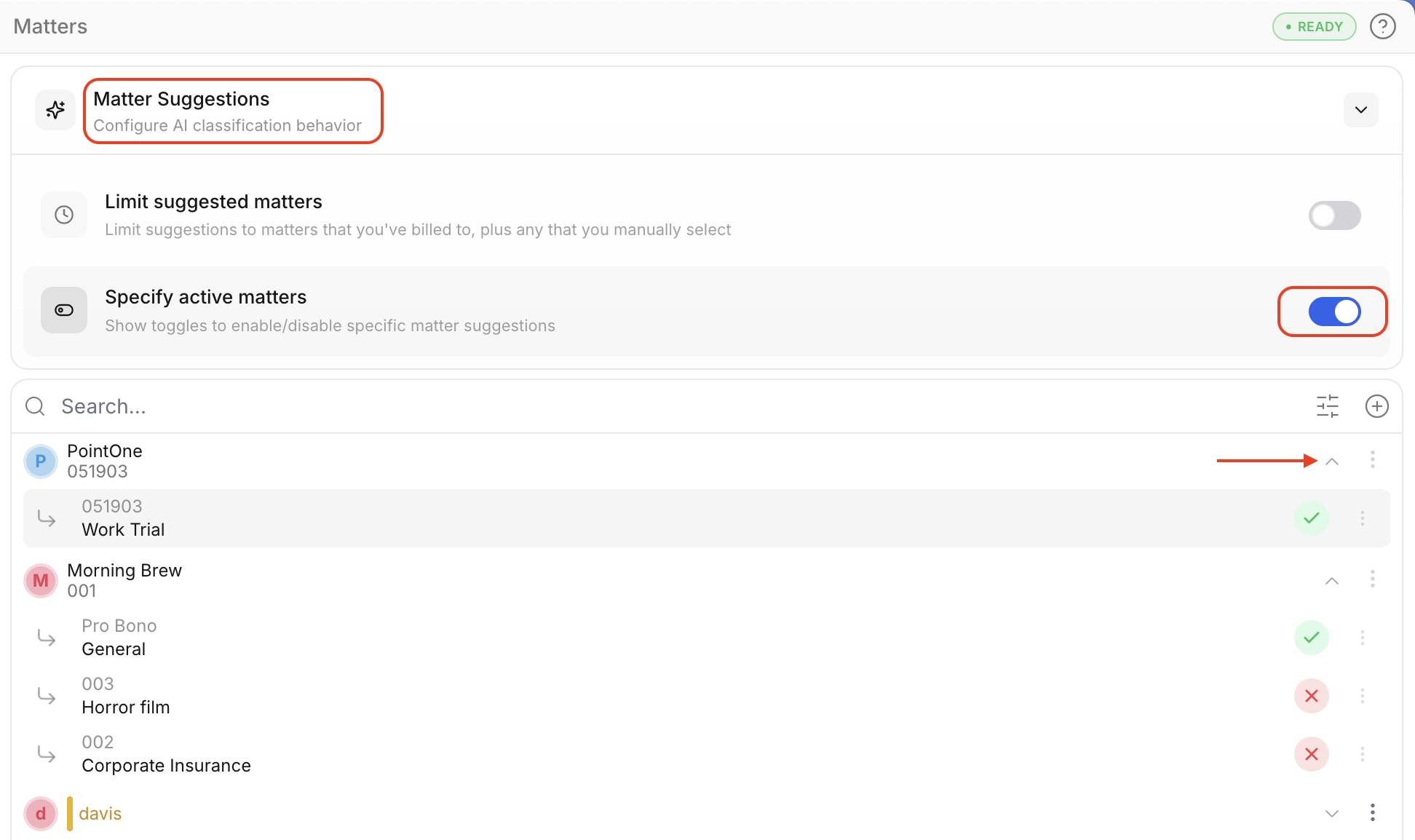
Select Matter Suggestions above the matters list
Select Specify active matters
Select the downward tick on clients, and tick the matters you want to activate or deactivate.