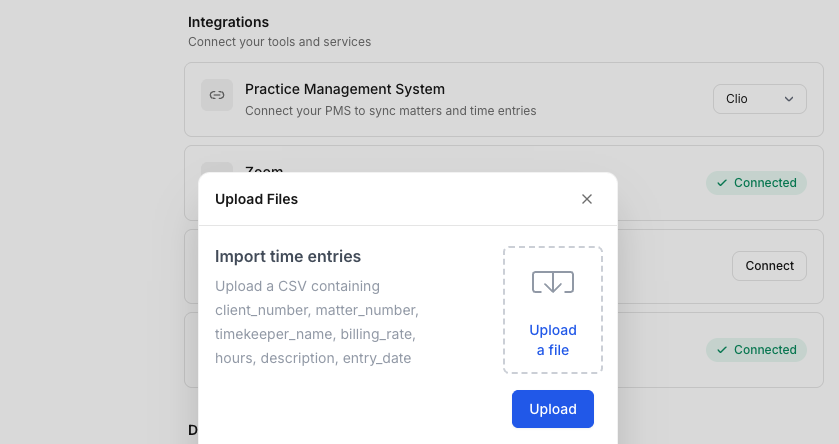
How to import time entries via CSV
Last updated: December 3, 2025
Only firm administrators can import time entries. To upload time entries from external programs into PointOne, you must first download a CSV file from that program. The column headers of that CSV should be the following: client_number, matter_number, timekeeper_email, billing_rate, hours, description, entry_date. These column headers must all be included in your CSV file, although they do not have to appear in this specific order.
When the CSV file is properly formatted, navigate to the PointOne web application (app.pointone.com) and log in.
On the left sidebar, click "Organization."
Scroll to "Data Management."
Select "Upload files."
Next to "Import time entries," select "Upload a file."
Select a file from your computer, and then finalize the upload by clicking the blue "Upload" button.