How to export time entries as a Word or CSV file
Last updated: April 23, 2026
To export time entries as a .docx or .csv, please
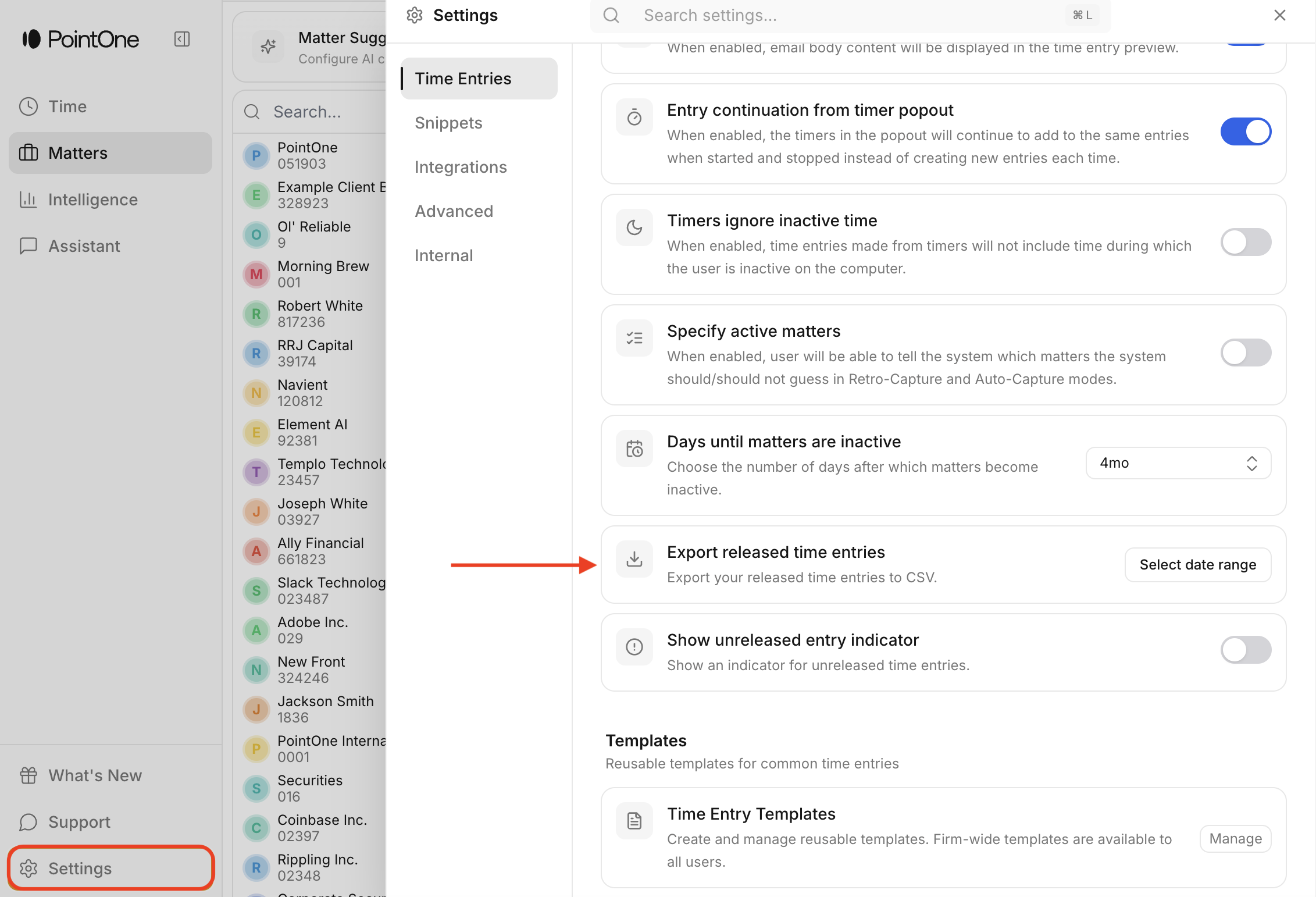
Navigate to ‘Settings’ in the bottom left corner of your PointOne screen and scroll down to ‘Export Released Time Entries’
Click on ‘Select Date Range’
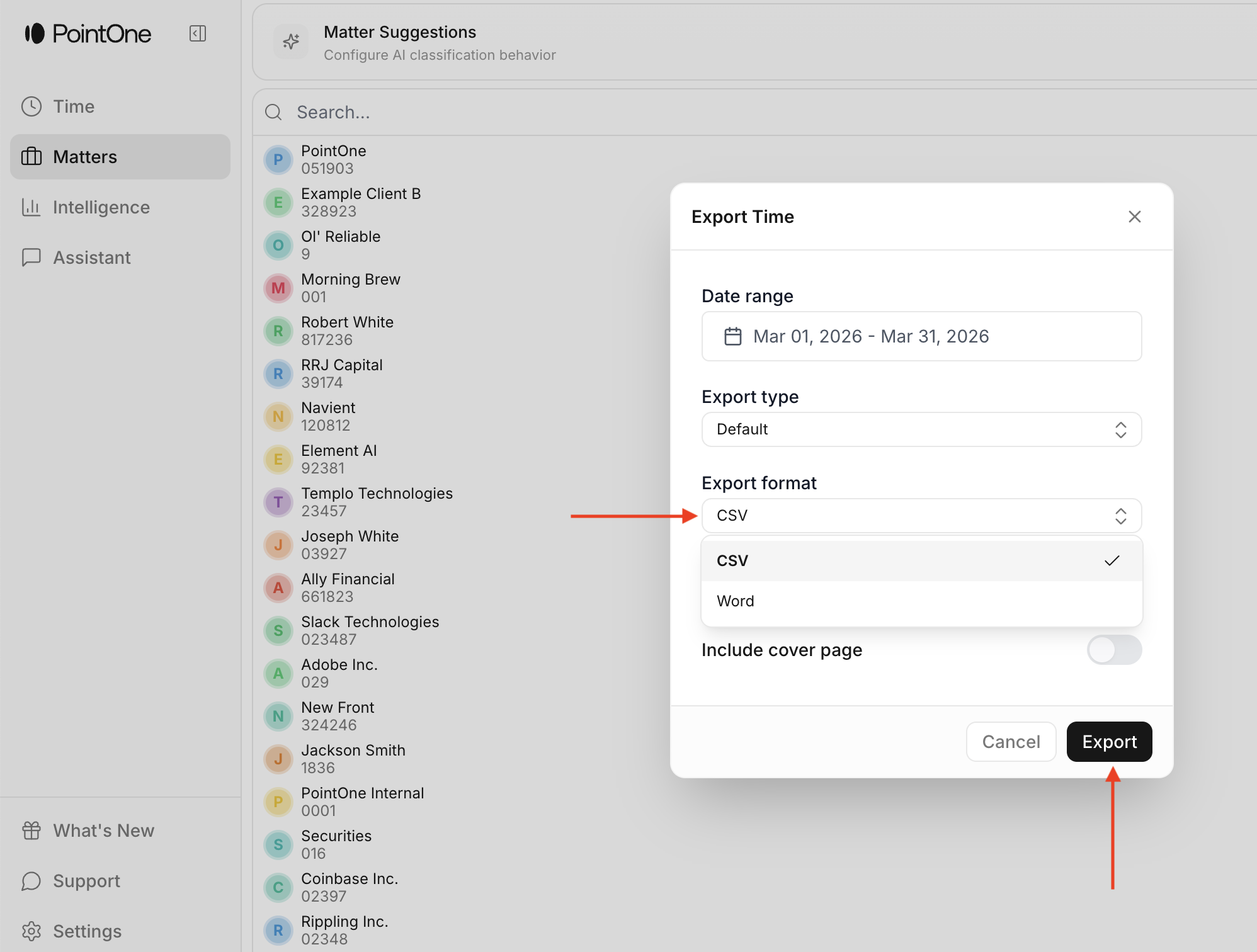
Select your preferred date range and export format
The above process is intended for exporting time as a single timekeeper.
If firm administrators want to export time for multiple users across the firm, they should do so through the web reporting page, by clicking the download icon at the right of the Time Entries bar in the Reporting modal.