How does PointOne integrate with Dialpad?
Last updated: June 6, 2026
Create a Dialpad API key
Guide here: https://help.dialpad.com/docs/create-an-api-key
Select the following scopes:
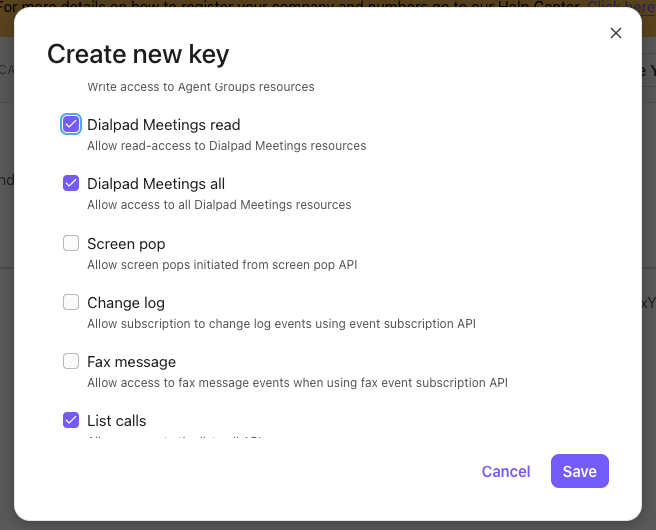
Dialpad Meetings read
Dialpad Meetings all
List calls
Copy the resulting API key
Navigate to the PointOne web app (pointone.com)
As an administrator, you can navigate to the Organization tab
Under Dialpad, paste your new API key