How to set up proxy users
Last updated: May 8, 2026
Overview
Proxy access allows a billing assistant or administrator to review, edit, and release time on behalf of an attorney.
This is particularly useful when attorneys draft their time, but a billing assistant is responsible for final review and releasing to billing. Proxy access ensures the assistant can act directly within the attorney’s account without sharing login credentials.
1. Assign Proxy Access
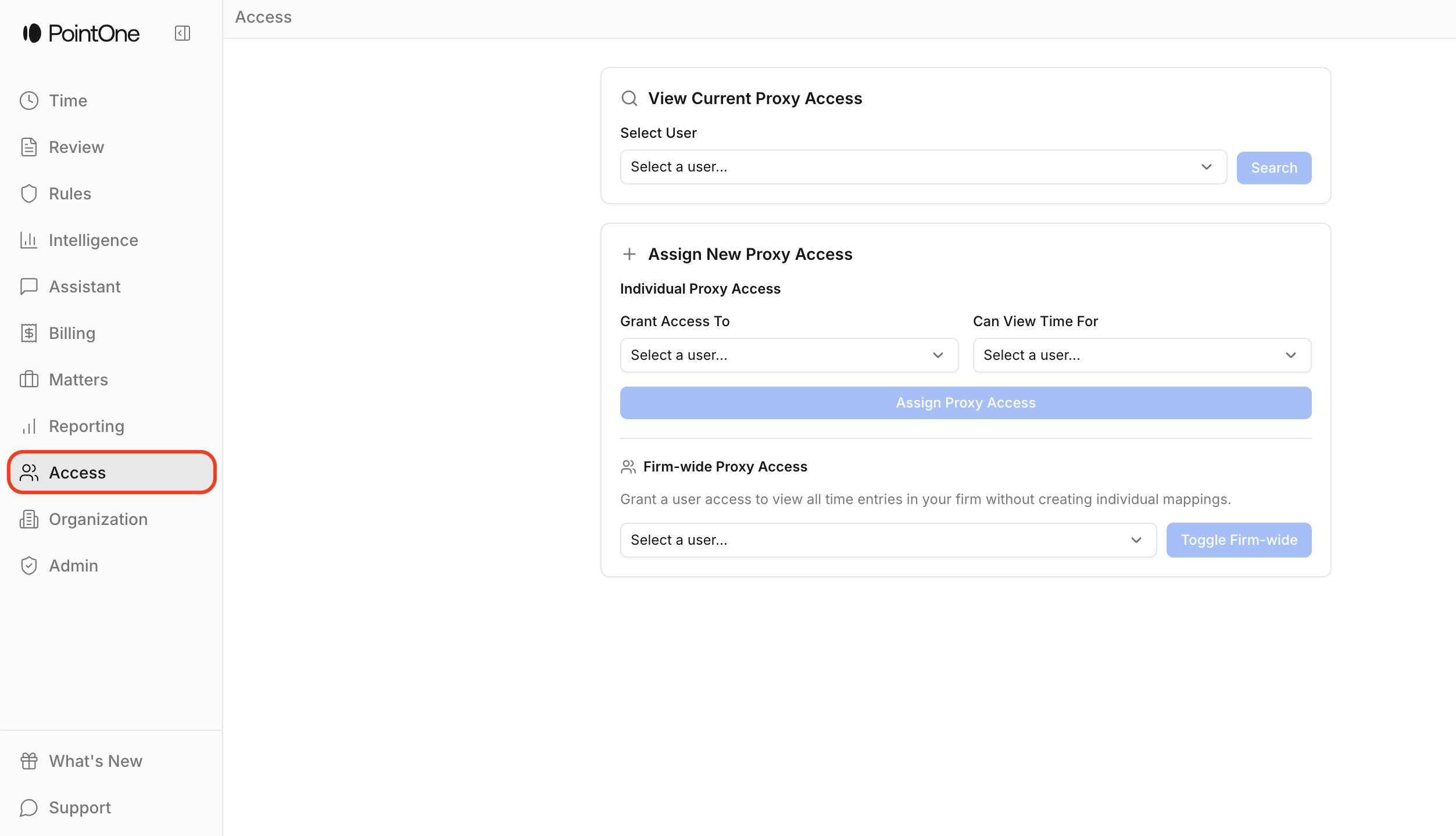
Select the Access tab within the application
Select Assign Current Proxy Access
In the To field, select the billing assistant
In the For field, select the attorney
The billing assistant can now review, edit, and release time on behalf of that attorney.
2. Viewing or Managing Existing Proxy Access
You will see a Proxy As tab appear at the bottom of your side bar. Here, select whomever you would like to view time for, ignore any pop-up informing you that you don't have access to this page, select Return to Time, and select the Time tab at the top left of your side bar. You will now be viewing your attorney's timesheet.
Admins can return to the Access tab at any time to:
View current proxy relationships
Modify proxy relationships
Remove proxy access