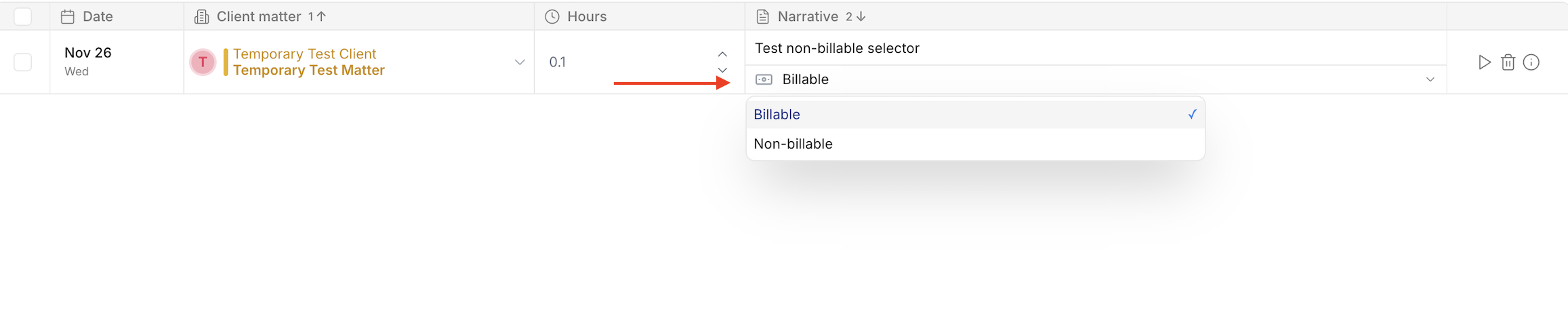
How to mark time entries as billable or non-billable
Last updated: December 1, 2025
PointOne allows users to mark entries as billable or non-billable. These allow users and firms to differentiate between work that will be billed to clients and work for which the user and firm will not charge.
How to enable the billable/non-billable selector
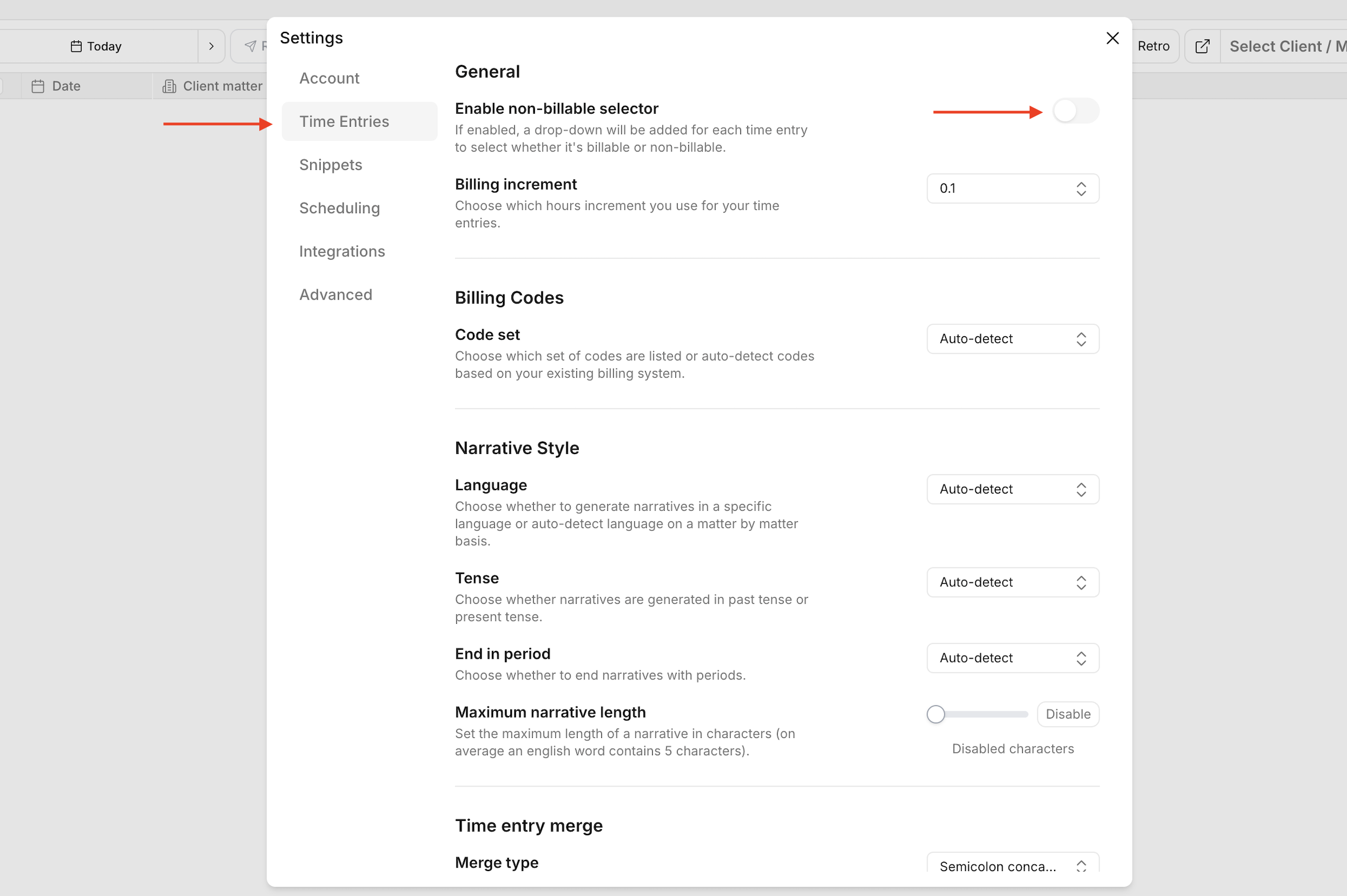
To enable this functionality, navigate to the settings (bottom-right corner), select "Time Entries", and then enable the "Enable non-billable selector" toggle.
Marking entries as billable or non-billable
The billable/non-billable selector will appear below the narrative field of each time entry.